
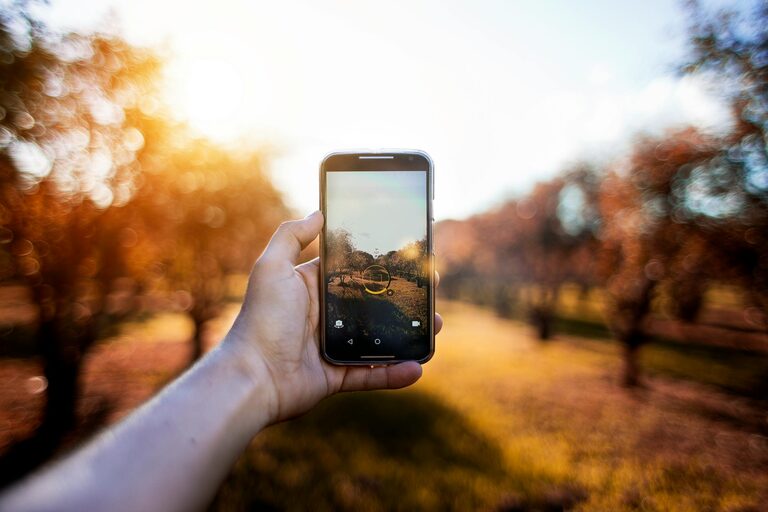
Taking great photos with your phone is easier than you think. Whether you want to capture moments with friends, beautiful landscapes, or everyday scenes, a few simple tips can help you take better pictures. In this post, we’ll share beginner-friendly advice to elevate your phone photography and make the most out of your device’s camera.
Understand Your Phone Camera
Before diving into shooting photos, it’s important to get familiar with your phone’s camera features.
– Explore camera settings: Spend some time opening your camera app and exploring settings like resolution, grid lines, HDR mode, and flash options.
– Clean your lens: Phone cameras often get smudged with fingerprints, which affects image clarity. Use a soft cloth to keep your lens clean.
– Stabilize your phone: To avoid blurry photos, hold your phone firmly with both hands or rest it against a steady surface.
Use Natural Light Whenever Possible
Lighting is key to great photos. Natural light is often the most flattering and easiest to work with.
– Shoot during golden hours: Early morning and late afternoon offer soft, warm light that enhances your photos.
– Avoid harsh midday sun: Bright sunlight can create strong shadows and highlights. Find shaded areas or use indirect light.
– Turn off flash: The built-in flash on phones is usually harsh and can wash out your subject. Use it only when absolutely necessary.
Frame Your Shots with Composition Basics
Good composition makes photos visually interesting and balanced.
– Rule of thirds: Imagine your screen divided into three equal parts horizontally and vertically. Place important elements along these lines or their intersections.
– Keep your horizon straight: A crooked horizon can distract from an otherwise great photo. Use your phone’s grid lines to help keep the shot level.
– Fill the frame: Avoid too much empty space by getting closer to your subject or zooming in slightly (without digital zoom if possible).
– Look for leading lines: Roads, fences, or pathways can guide the viewer’s eyes through the photo.
Focus and Exposure
Getting your subject sharp and correctly exposed makes a big difference in photo quality.
– Tap to focus: Most phone cameras allow you to tap the screen where you want the focus to be. This usually helps improve clarity where it counts.
– Adjust exposure: After tapping, slide your finger up or down (depending on your phone) to brighten or darken the image before taking the photo.
– Use manual controls when available: Some phones offer manual focus and exposure settings for more control.
Experiment with Perspectives and Angles
Don’t just shoot from eye level. Changing your perspective can add interest and creativity.
– Try low angles: Shooting from ground level can make subjects look more dramatic or dynamic.
– Shoot from above: Overhead shots are great for food, flat lays, or busy scenes.
– Look for reflections or shadows: These elements can add unique touches to your photos.
Edit Your Photos Thoughtfully
Editing is not about making your photos look fake but enhancing what you already captured.
– Use built-in editors: Most phones come with simple editing tools like crop, brightness, contrast, and filters.
– Avoid over-editing: Try to keep edits natural. Too much saturation or heavy filters can reduce image quality.
– Consider third-party apps: Apps like Snapseed, Lightroom Mobile, or VSCO offer powerful, easy-to-use editing features.
Practice Regularly and Review Your Work
Like any skill, phone photography improves with practice.
– Take photos daily: Experiment with different subjects and lighting conditions.
– Review your photos: Look at your shots critically to understand what worked and where you can improve.
– Learn from others: Follow photography blogs, social media accounts, or join communities to get inspiration and tips.
Additional Tips for Specific Scenarios
Here are some quick tips for common photo situations:
– Portraits: Use portrait mode if your phone supports it. Position your subject with soft background light.
– Landscapes: Capture wide scenes with plenty of depth. Use panoramic mode if needed.
– Night photos: Use night mode, keep your phone steady, and avoid digital zoom.
– Action shots: Turn on burst mode to capture multiple frames and select the best one.
—
Taking better photos with your phone doesn’t require expensive equipment or expert skills—just a little practice and attention to detail. With these beginner tips, you can confidently capture beautiful images and make your memories shine. Happy shooting!